
Receive Your Invoice
How to read your final invoice, why it reconciles earlier payments, and how to settle it.
When the work is done, the firm issues a final invoice — the single document that settles the engagement.
You are here
Delivery → Receive Your Invoice
Next
Service Complete
- 1
Open the invoice
You're notified when the invoice is issued. Open it from Invoices & Payments or the request.
A final invoice showing charges, tax, and net payable.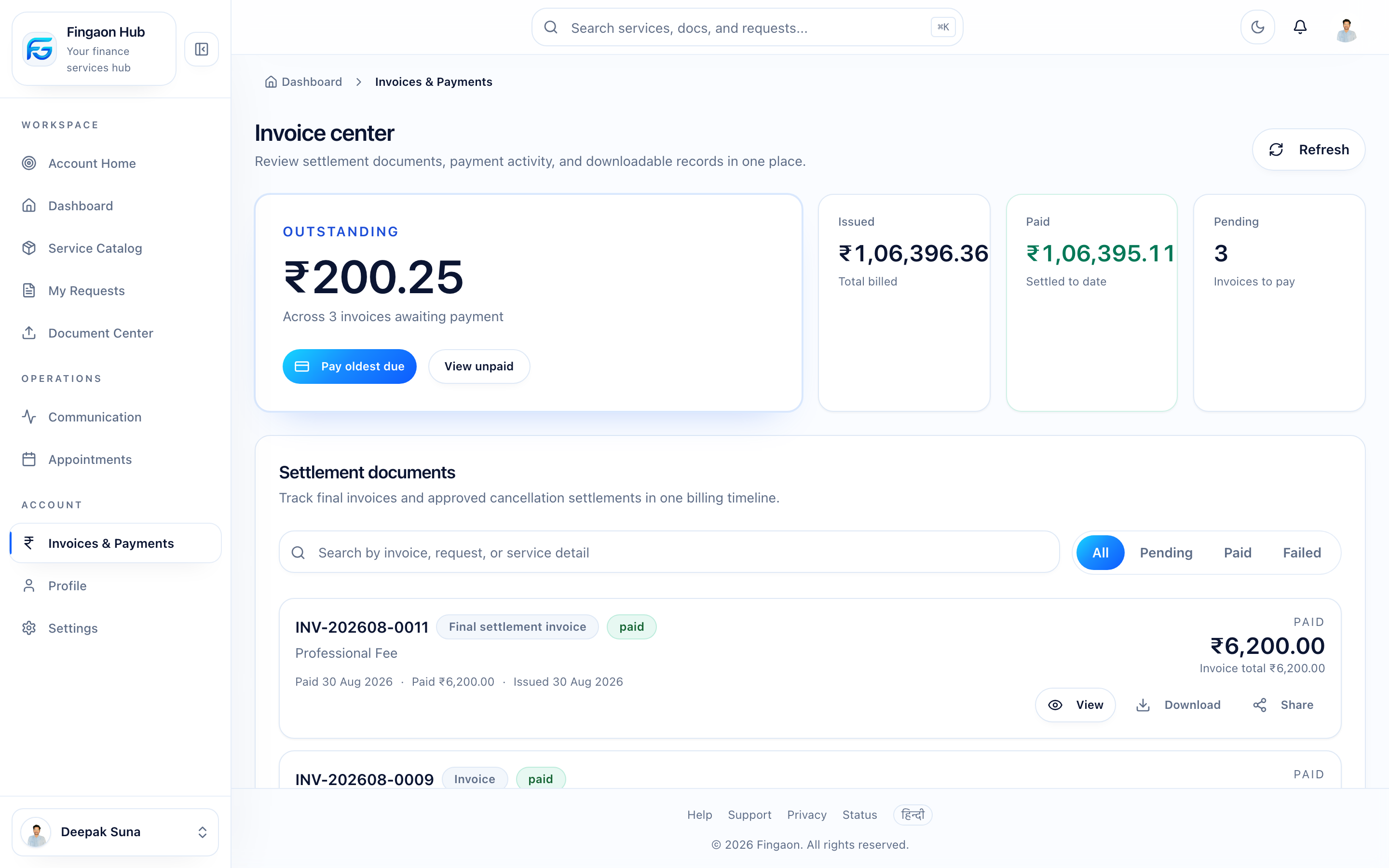
A final invoice showing charges, tax, and net payable. - 2
Read the totals
The invoice shows the service fee, applicable GST, any charges, and — importantly — what you've already paid. The net payable is the remaining amount due.
- 3
Settle it
Pay the net payable through the secure gateway. Once settled, the invoice is
paidand the engagement is complete.
How the total is built
net payable = total charges + service fee − already paid
- Total charges — pass-through costs (government fees, deposits) with no GST added.
- Service fee — the firm's professional fee, plus GST if the firm is GST-registered.
- Already paid — anything you paid earlier via pay orders is subtracted.
Why it may differ from the quote
The invoice reflects what actually happened, and it credits earlier payments — so its due amount is often lower than the quote's headline total. See Quote vs Invoice and Why is my invoice different from my quote?.